
I am currently trying to solve a call forward issue in a SIP cloud all call forward or SIP redirection call flows have two legs
- The inbound Invite to the forwarded SIP endpoint
- The outbound Invite with a Diversion header
Where we must cross an SBC we have number plan dependencies – SIP trunk providers will only accept diversion headers in a specific number format, which also must be part of the extension range for the device
If you stray from the defined number plan -you may get a reject from the SIP trunk provider this is going to be in the format in one of the following headers in the outbound invite
1.Diversion header format and some screening indications
2.P asserted identity PAI
3.Remote party ID with some screening indications
its important to realize that its a single call flow with two legs -that stay up – like all cloud UC offerings there is a web API call in the midst of the SIP signaling
The call flow is a bit of a shell game the headers swap values to make the call forward work and the way the architecture is such that the inbound and outbound invites are processed on separate SBC both legs have got to stay in state for the forward to work
- MSP Invites the SBC
- SBC makes an API call to ARM
- SBC sends invite to IP PBX
At this point the IP PBX is building the outbound invite with the diversion header which will invite the SBC again which in turn makes another API call which will then get the SBC to invite back to the MSP
The 180 that gets generated is actually from the call forward via the 2nd leg
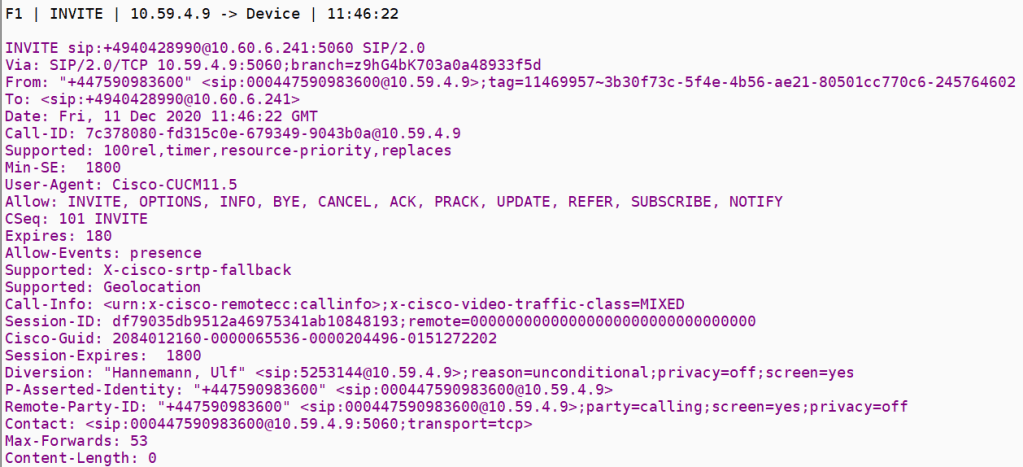
The inbound invite doesn’t need a registered endpoint the CUCM is going to generate the new outbound invite because of the existence of the diversion header , the software will build the invite basically to the call forward and send the diversion header back to the MSP trunk
The remote party here in this outbound invite is the original inbound invite calling party we send this back to the MSP so it can connect the calls
Inbound invite
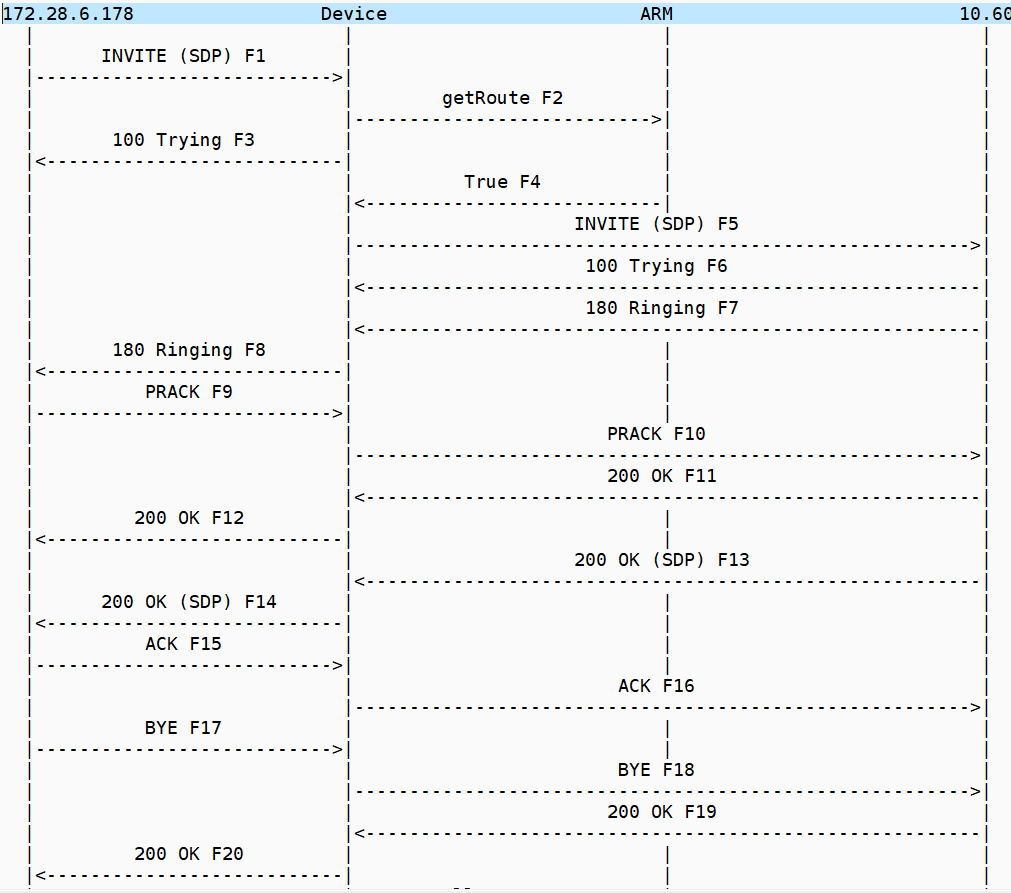
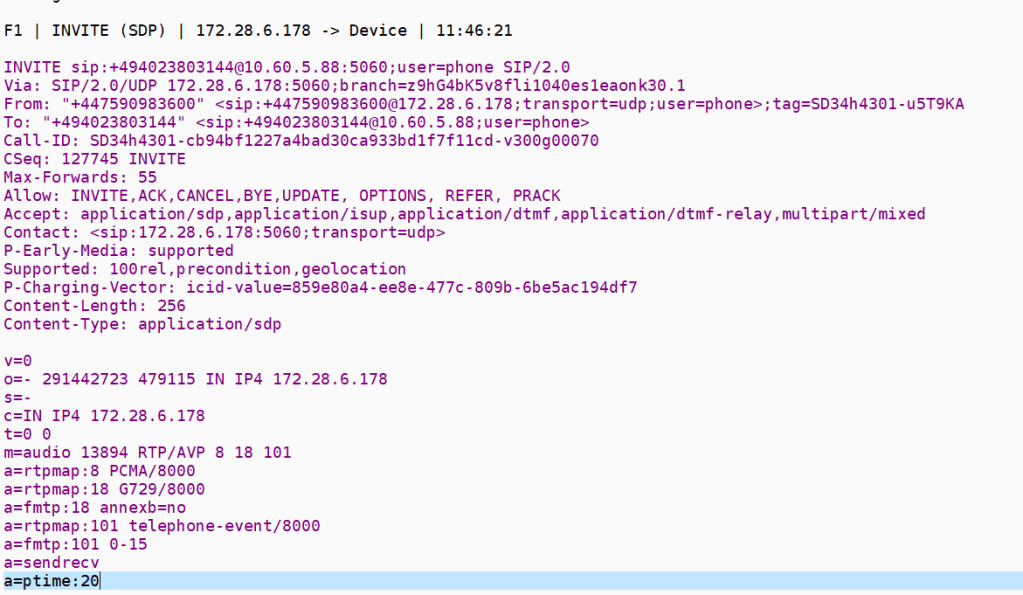
after the ARM API
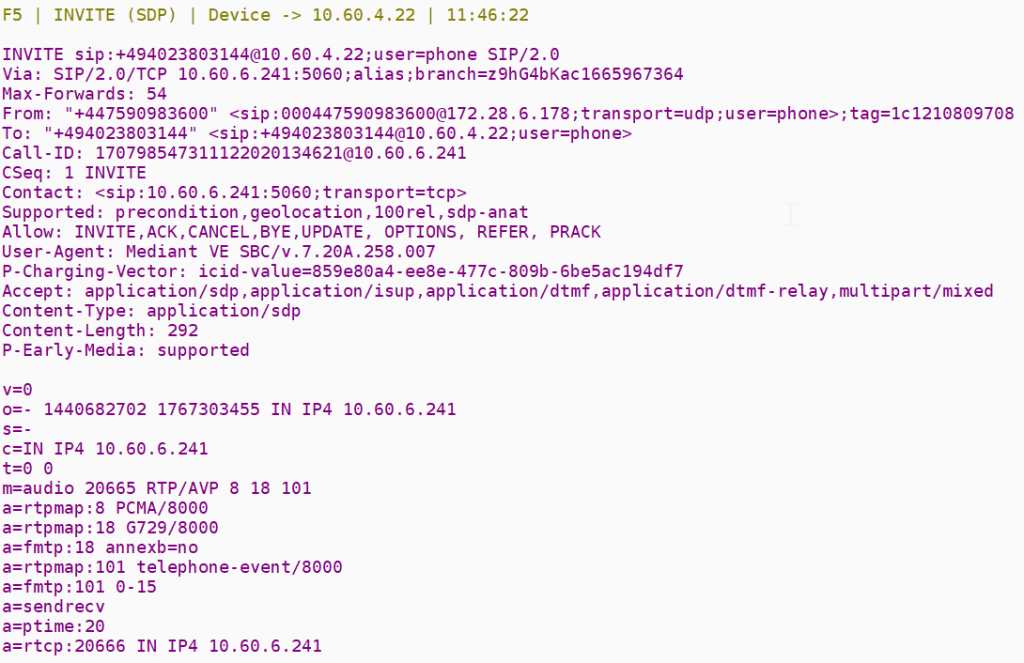
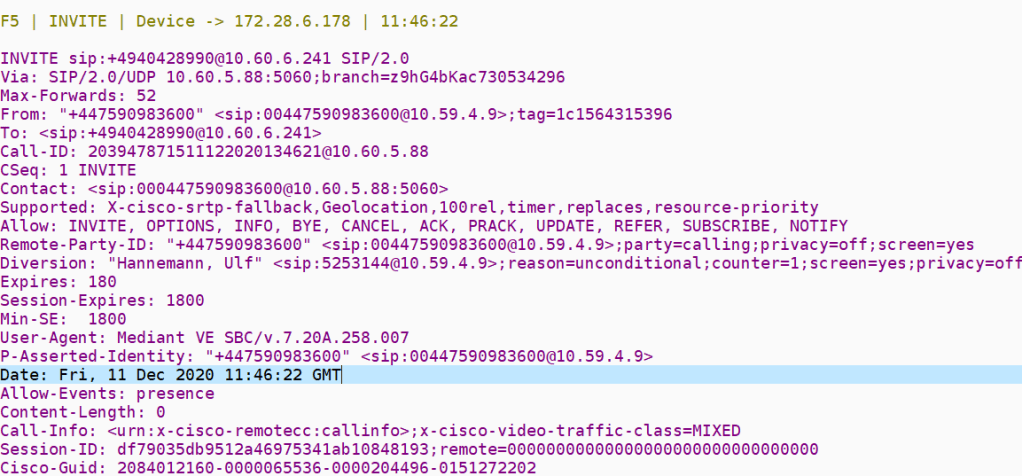
Outbound invite
This is where we see how the SIP UA has modified the inbound invite
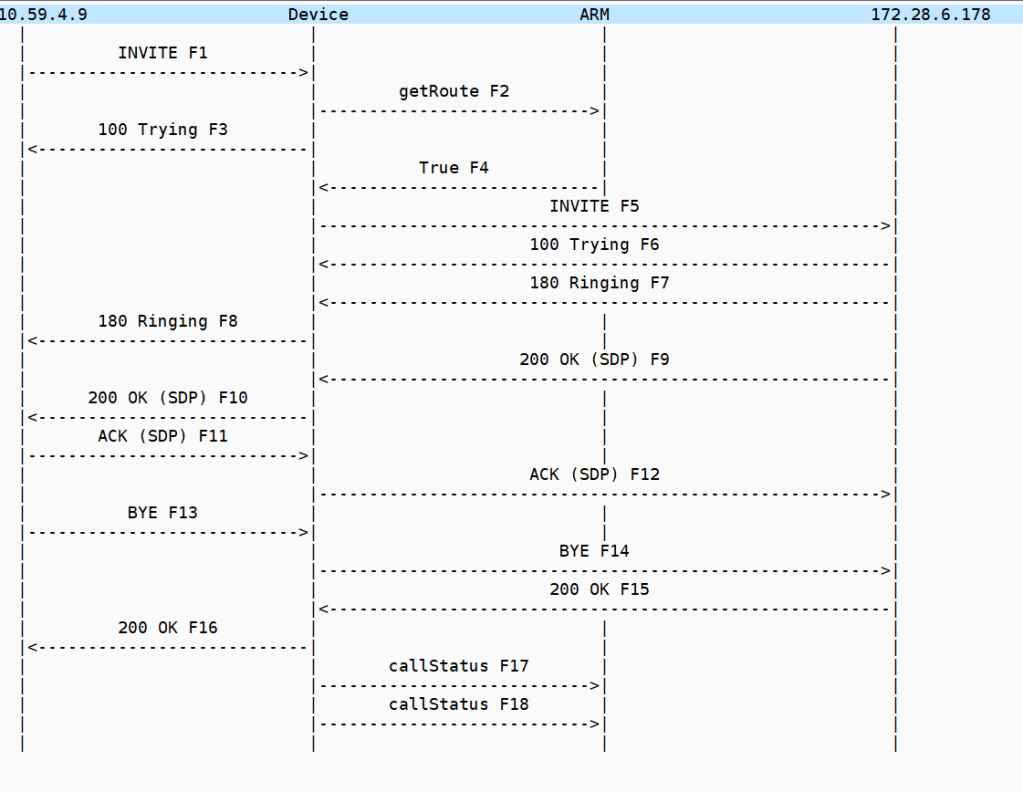
the invite is shown below – the SBC is using a delayed offer for SDP the diversion header itself isn’t really used since its just a redirect flag but MSP use it to control SIP redirection
after the ARM API
when it all goes wrong
This is an example of a call forward that doesn’t work when something has changed in the configuration
inbound invite
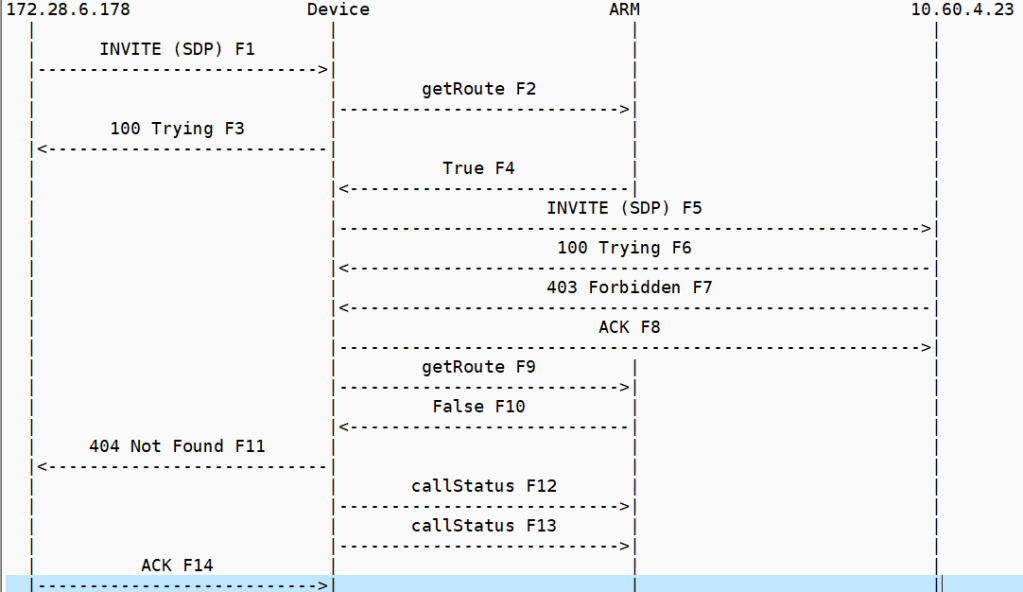
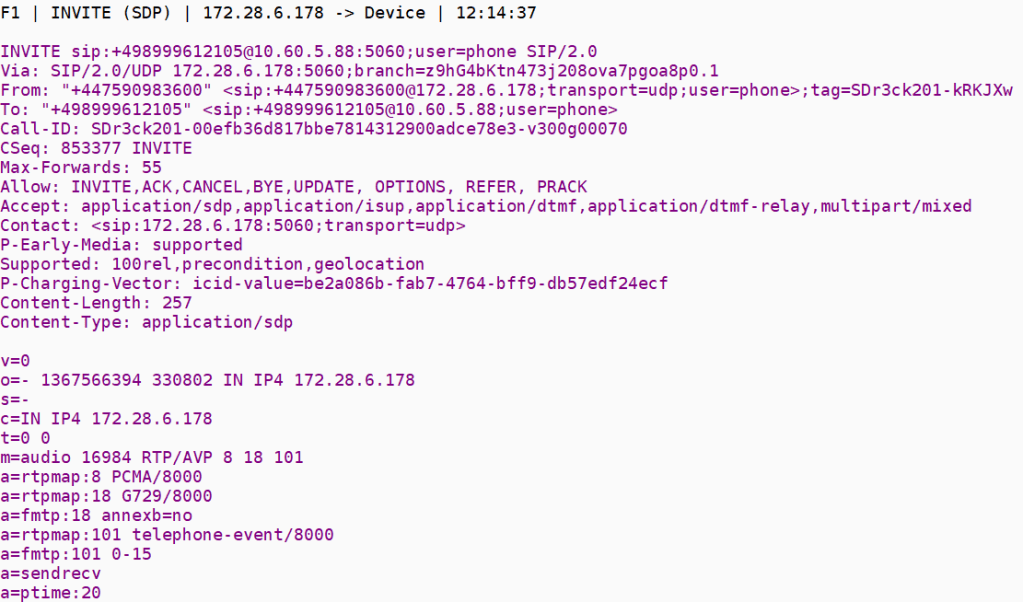
but remember that these two legs set each other up so there are two possibilities here
- There is something about the invite that is getting forbidden hence if this is the case all we would need to analyze is the f5 invite from both flows to see the differences
- The forbidden is being triggered by the outbound invite with the diversion header and extra fields and this proxies back to the inbound invite so the 403 in the outbound just proxies back to the 403 in the inbound leg
outbound invite
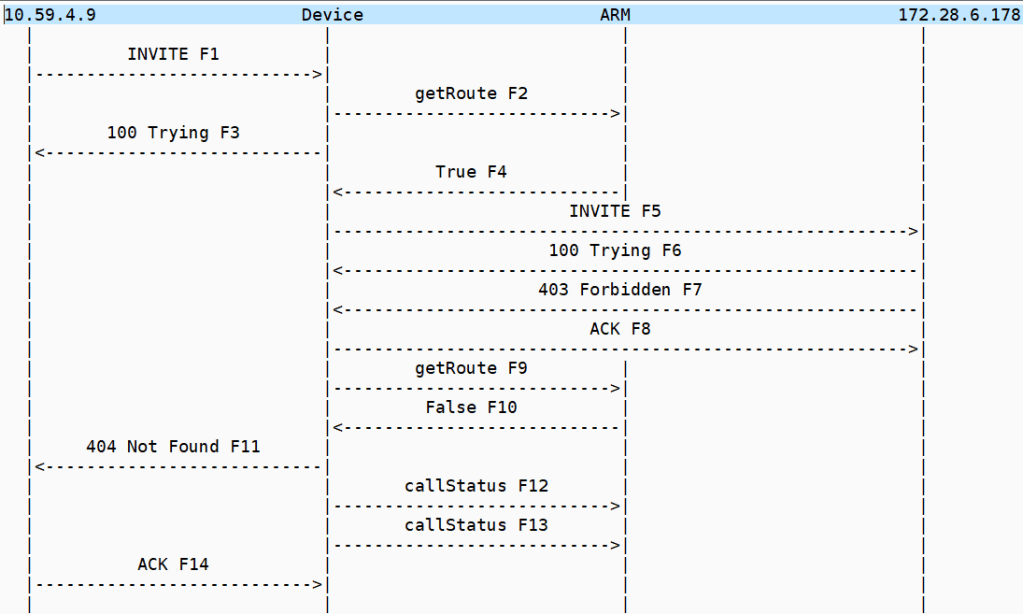
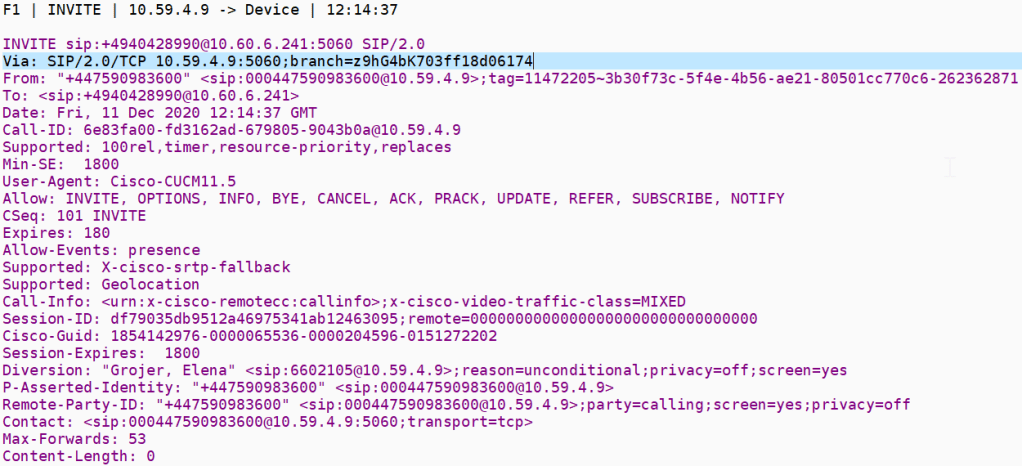
For this failure we need to investigate why the MSP rejects with Forbidden
MSP database routing
MSP will authenticate calls depending on what is configured in their routing database. We also need to make a few definitions about the number formats
| Private Number (rnx-ext) | E164 |
| 534-6404 | 44-156478-6404 |
MSP has stated that routing database authenticate is based on 2 points
- Diversion header is presented – should be +CCxxx or private number configured on the MSP side
- From header should be +CCxxx or private number configured on the MSP side
so in the case for the above extension 6404 has a call forward to 447795642799 the diversion header is shown below
“Rolf Thomas” (sip:[email protected]);reason=unconditional;counter=1;screen=yes;privacy=off
534-6404 is the private number of 44-156478-6404 so the call is authenticated from the site
so in the case of the failure seen at RNX 660 the PNP was not configured on the OBS side , so we where sending the diversion header in the right format

 / UCCE / AWS / azure/Security / IP-PBX