
Back in the day it used to be difficult to remote control phones , usually that phone would have to have a CTI layer and you would have to use JTAPI or a java telephony API to send 3rd party call control messages to control
but since phones have become web servers in their own right we can exploit HTTP verbs to control the phone
the set up for this is shown below
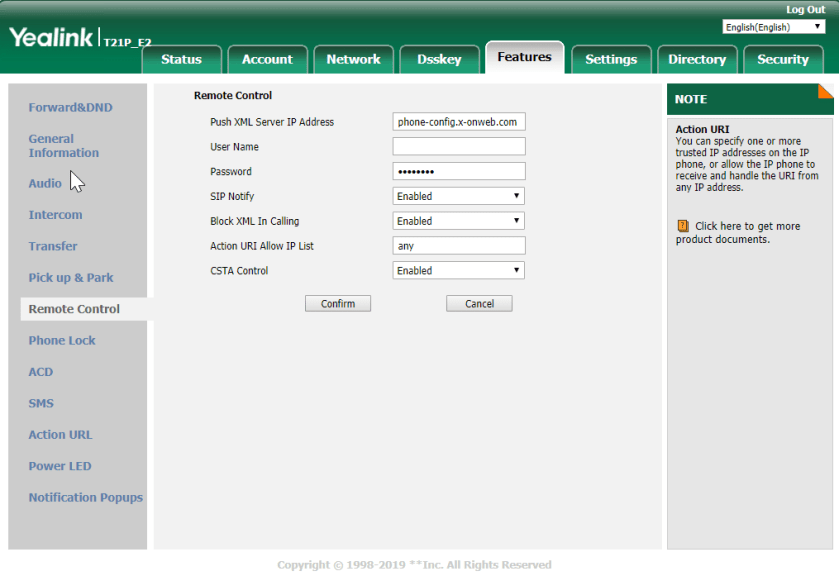
Basically we are going to set 2 settings
Action URI Allow IP list – to leave it wide open we can set this to “any” or we can define a sub net here
CSTA Control – set this to enable this is basically ACD protocol speak
once this is set than the phone will go down for a reboot
once it has come back you can issue something like this for the phone
https://192.168.5.201/servlet?key=number=07590983600&outgoing_uri=033333333.
When you send this the browser will use the GET verb to send
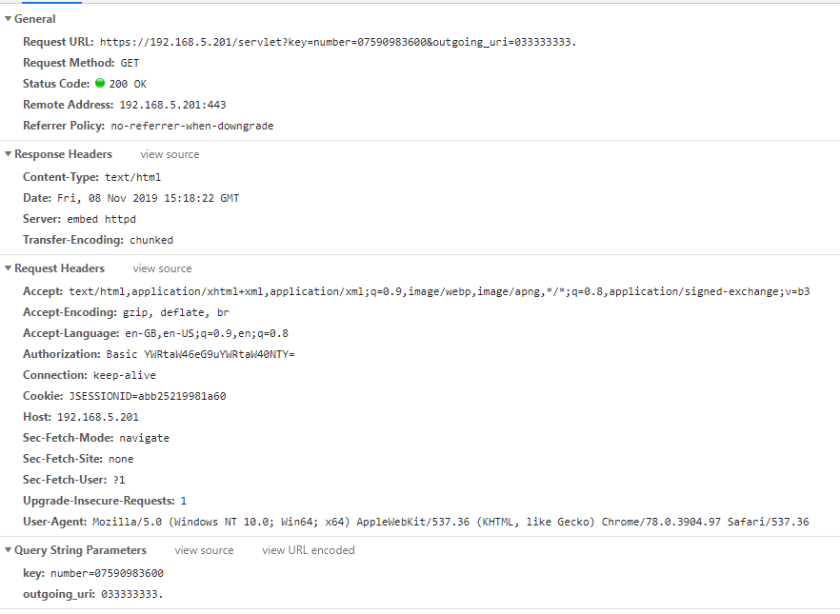
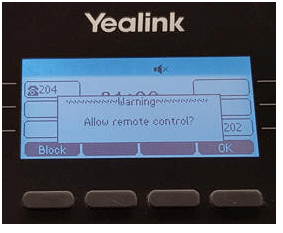
for the first time you send the get the phone will display a message that say do you want to allow remote control , but it only does this the first time , for subsequent requests this will no longer be presented
you can also do a screen grab
https://192.168.5.201/screencapture
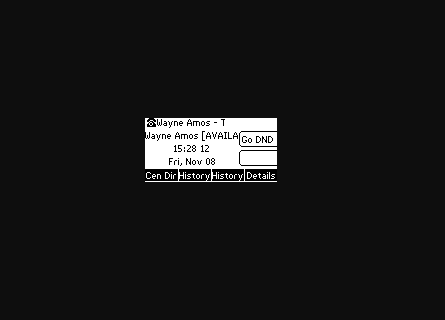
so this will provide support function with a useful tool in being able to generate outbound calls from site

 / UCCE / AWS / azure/Security / IP-PBX